
A HUD your server can afford to run
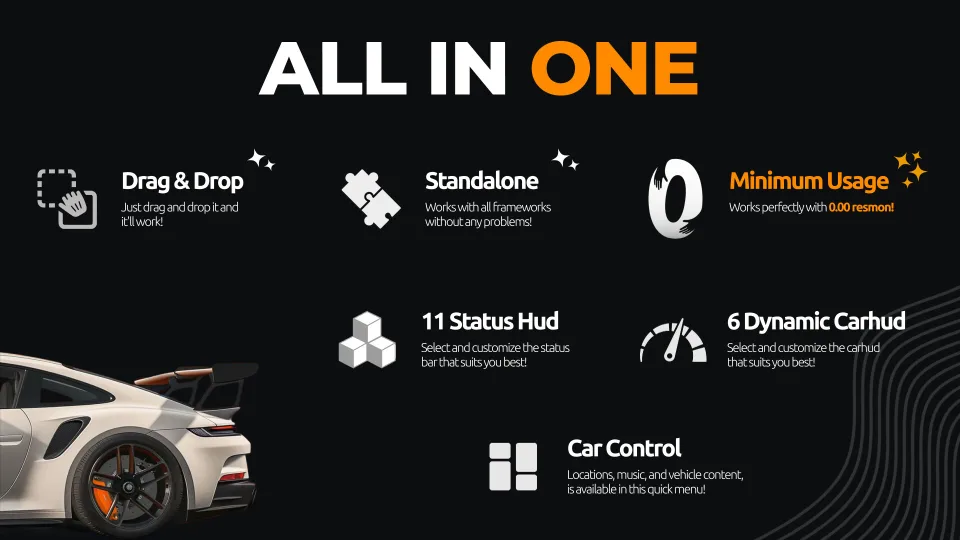
WAIS HUD V6 replaces half a dozen separate resources — status bars, speedometer, info panels and a car control menu — and still measures 0.00ms on resmon while players are on foot, 0.01ms while they are driving. That margin matters more than it looks: the HUD is the one resource every player runs, every frame, for their entire session.
Standalone, so it drops straight in
There are no framework dependencies to satisfy. Drop the resource in, start it, and it runs alongside QBCore, ESX, Qbox or a custom base with no bridge and no patching. Nothing in the install assumes a particular inventory, job system or database schema.
Pick a look, then make it yours
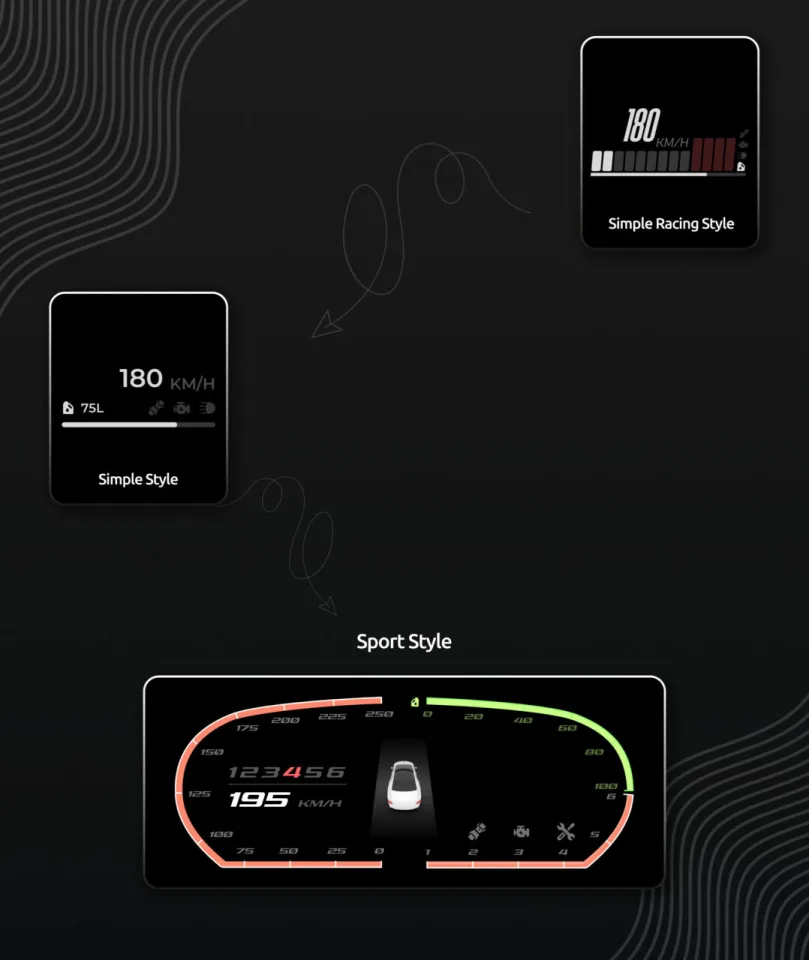
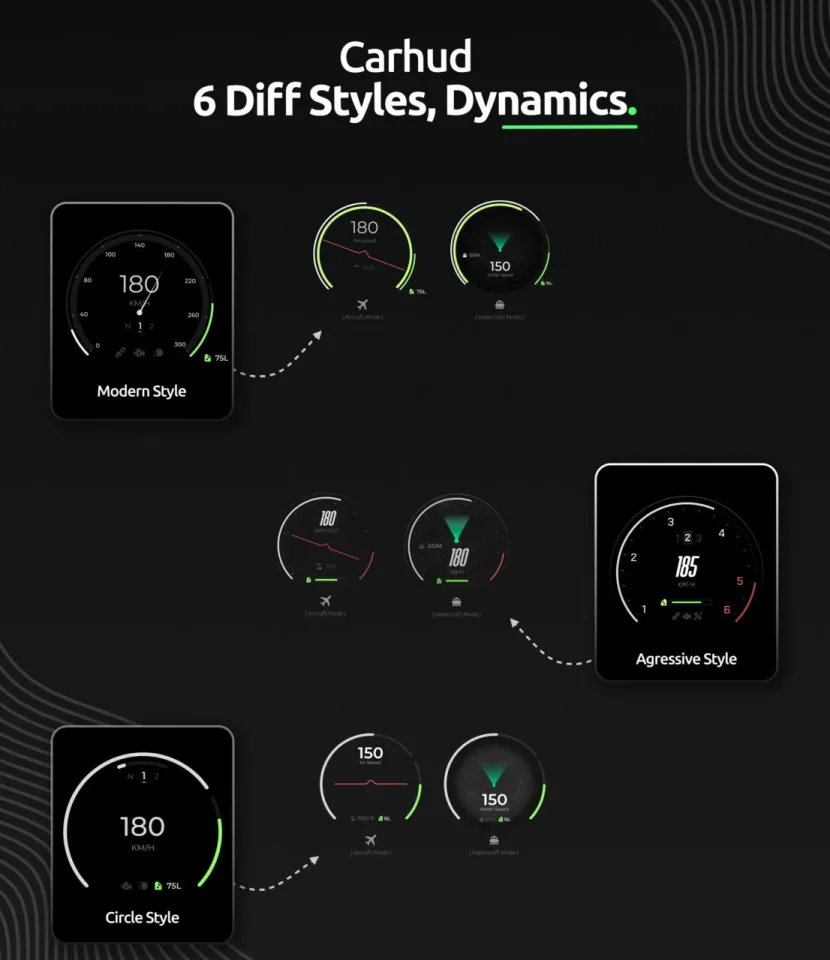
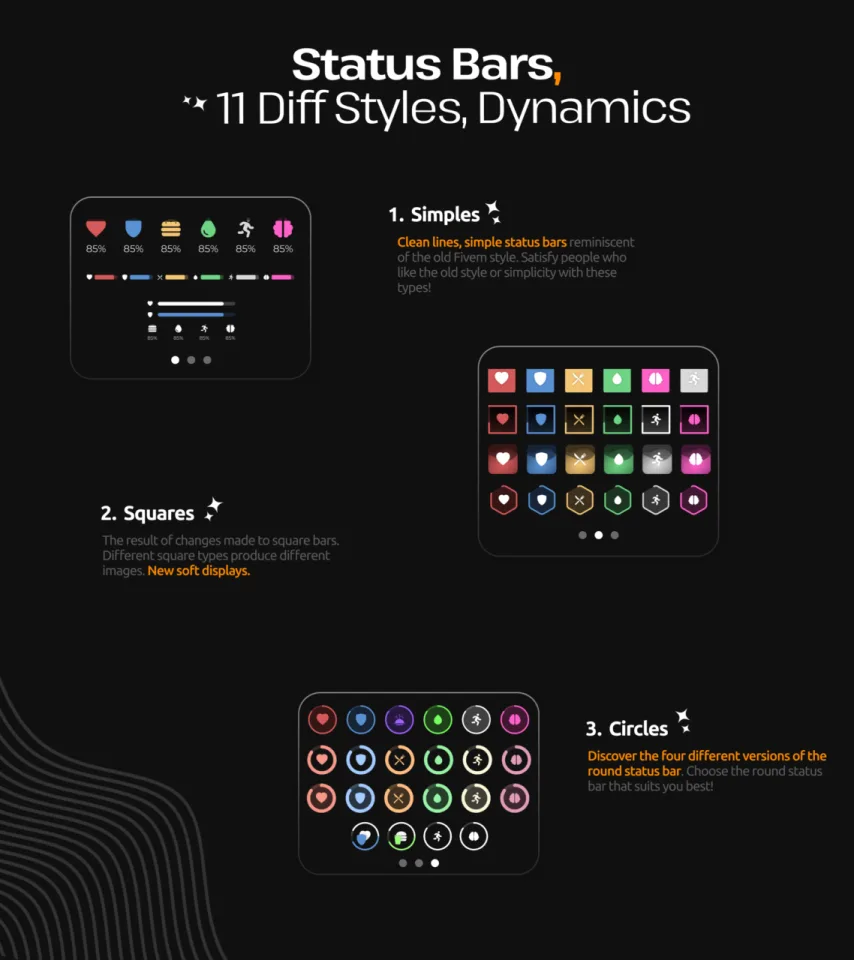
Eleven status bar styles ship in three families — Simple for the flat, old-school FiveM look, Square for soft-edged geometric bars, and Circle for four rounded variants. Six animated speedometers cover cars, boats and aircraft, and the HUD switches between them on its own depending on what the player climbs into.
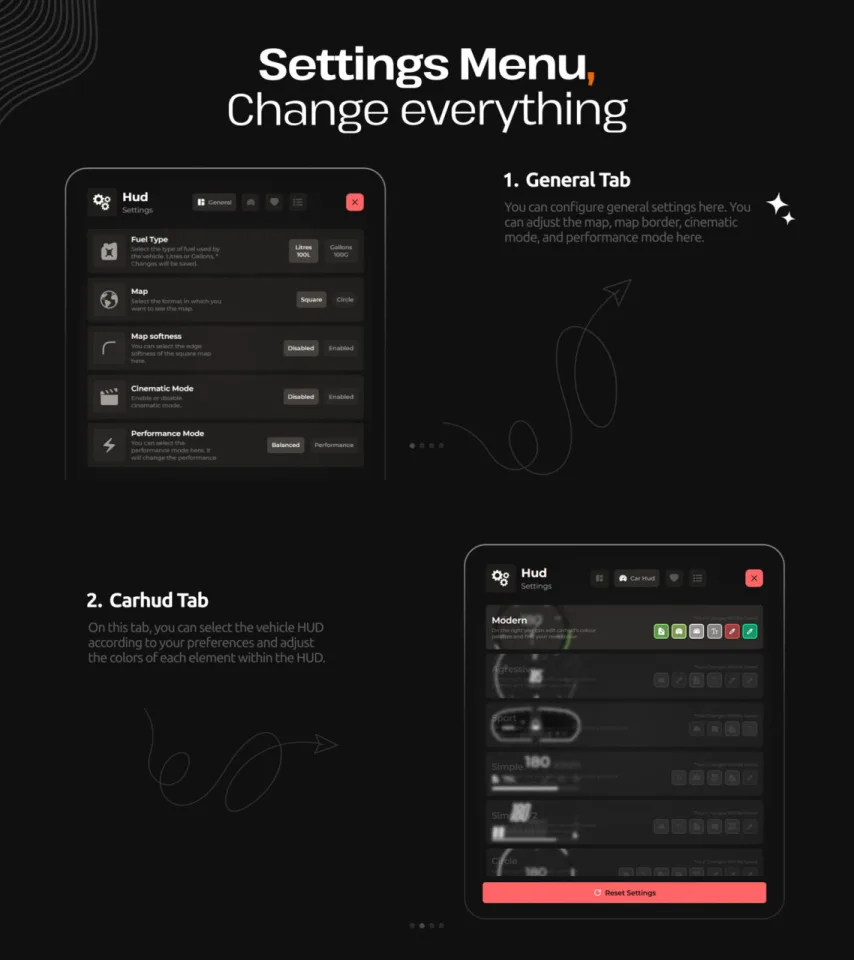
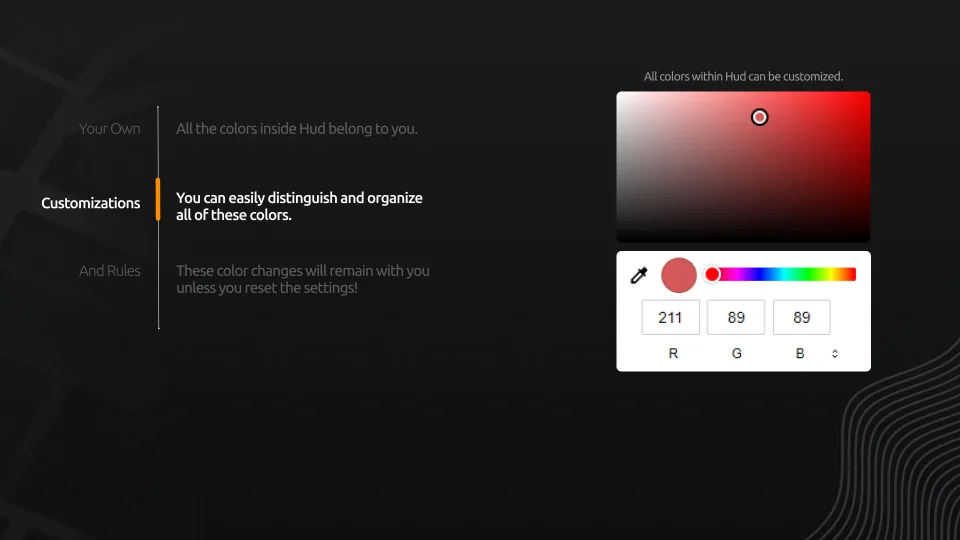
Every color is editable. Status bars, speedometer elements and UI accents are tuned separately from the in-game settings menu, and a player's choices survive a reconnect until they reset them.
What players reach without opening the pause menu
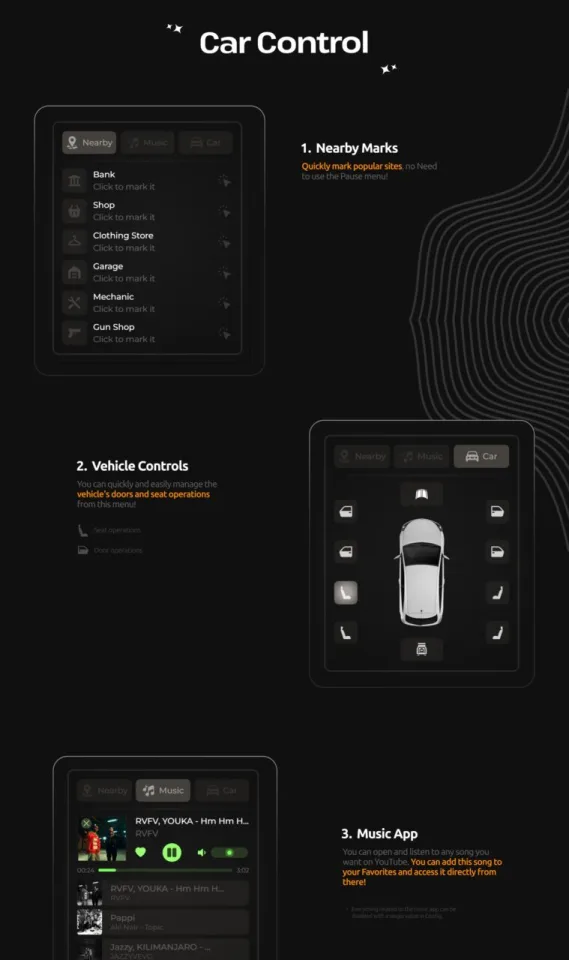
The built-in car control menu is the part server owners tend to notice in testing:
- Nearby marks — pin banks, shops, clothing stores, garages, mechanics and gun shops straight onto the map.
- Vehicle controls — doors and seat changes from a single in-vehicle panel.
- Music player — YouTube playback in game, with a saved favorites list.
Four right-corner info panels carry cash, bank balance, job and gang, keeping the details players check constantly on screen.
Settings that belong to the player
The settings menu covers minimap style, map border, cinematic mode and a performance mode, with a separate tab for the vehicle HUD's own style and colors. One click restores the defaults.
WAIS HUD V6 Customizable installation for FiveM servers
WAIS HUD V6 Customizable is a FiveM script from Vortex Scripts in the ESX Scripts category. After checkout, download the resource package from your Vortex Scripts order email, upload the included folder to your server, and start it from server.cfg.
resources/ directory.
ensure line using the exact folder name shipped in the download.
Use this as the server.cfg pattern, with the placeholder swapped for the folder name your download unpacks as:
ensure your-resource-folderThe folder name is controlled by the download package itself, not by this product page — keep whatever the archive contains.
Why WAIS HUD V6 Customizable fits a FiveM server
Framework labels for this listing: esx, qbcore, qbox. Check the included readme for any product-specific setup notes.
WAIS HUD V6 Customizable compatibility and purchase details
Write a review
Reviews are moderated before appearing. Purchased the product? Your review gets a VERIFIED badge automatically.
Related scripts












About this FiveM script
WAIS HUD V6 Customizable is a premium FiveM script for esx, qbcore, qbox servers. It’s part of the Vortex Scripts catalog, a curated selection of battle-tested resources for QBCore, ESX and Qbox roleplay servers. Every script we sell ships with lifetime updates, instant email delivery, and email support for technical questions.
It installs as a standard FiveM resource: unzip it into your resources folder, add it to your server.cfg, and restart. The config-first design means you can change prices, permissions and locations without editing the core Lua.
Framework fit for this listing: esx, qbcore, qbox. Check the included readme for any setup notes specific to this resource. Licence and refund terms are set out in our terms.