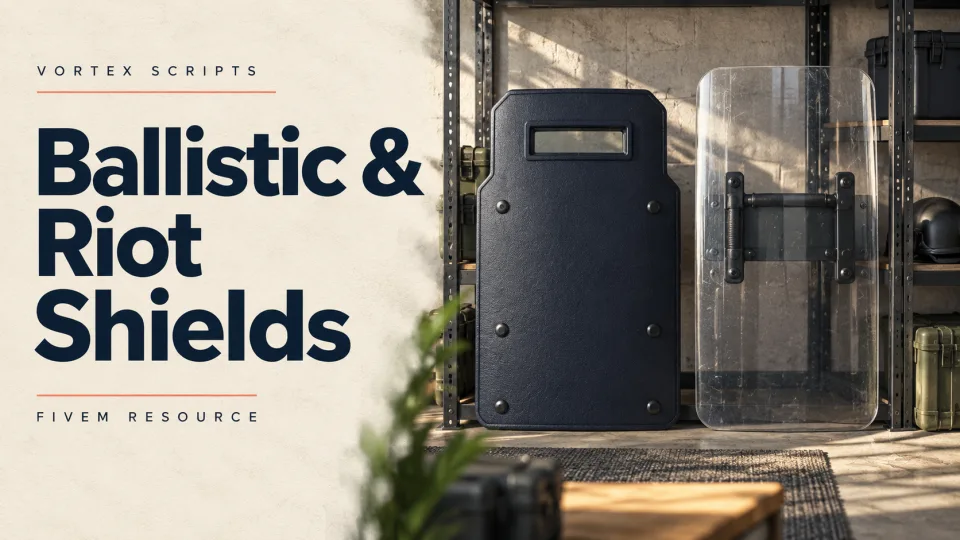
Armed response arrives and everybody ends up standing in the open, because there is nothing to stand behind. This adds the shield — carried, dropped, planted, and restricted to the officers who should have one.

Two shields, or as many as you like

Ballistic and riot shields ship configured. Both are models with behaviour attached rather than hard-coded special cases, so adding a third of your own is a config entry instead of a rewrite.

Getting one out

Equip from an inventory item or with a command, whichever suits your force — both are switchable. If neither fits how your department works, the default command and items can be turned off entirely and the shield equipped through exports from your own resource.

Carrying it properly

A weapon check keeps shields to the sidearms you allow, so nobody advances behind one carrying a rifle. Actions that should be impossible while a shield is up — climbing a ladder, plus any controls you nominate — are blocked while it is deployed. One key drops the shield; another plants it on the ground so a unit can take cover behind it.

Fitting it in

Models, animations and behaviour are all configuration, so the shield can be tuned to how your department trains rather than to how the script was written. It idles at 0.00ms and costs around 0.01ms while a shield is actually being carried.

Ballistic & Riot Shields installation for FiveM servers

Ballistic & Riot Shields is a FiveM script from Vortex Scripts in the ESX Scripts category. After checkout, download the resource package from your Vortex Scripts order email, upload the included folder to your server, and start it from server.cfg.

1. Upload the resource Place the purchased script folder inside your FiveM resources/ directory.
2. Start it in server.cfg Add an ensure line using the exact folder name shipped in the download.
3. Restart and verify Restart the server, check the console for startup errors, then test the resource in-game.

Use this as the server.cfg pattern. Replace the folder name if your downloaded resource folder is different:

ensure ballistic-riot-shields

The folder name is controlled by the download package itself, not by this product page — keep whatever the archive contains.

Why Ballistic & Riot Shields fits a FiveM server

Built for server flow Ballistic & Riot Shields is designed to slot into a live FiveM economy, staff workflow, or roleplay loop without turning setup into a weekend project.
Config-first tuning Adjust the resource around your community rules, jobs, permissions, balance, and pacing so it feels native to your server instead of bolted on.

Framework labels for this listing: esx, qbcore, qbox. Check the included readme for any product-specific setup notes.

Ballistic & Riot Shields compatibility and purchase details

Frameworks
ESX · QBCore · Qbox
Category
Creator
Vortex Scripts
Idle resmon
0.00 - 0.02 ms
Delivery
Instant email — unique per-order link
Updates
Lifetime — never pay again
No reviews yet — be the first to write one.

Write a review

Reviews are moderated before appearing. Purchased the product? Your review gets a VERIFIED badge automatically.

20 chars minimum

About this FiveM script

Ballistic & Riot Shields is a premium FiveM script for esx, qbcore, qbox servers. It’s part of the Vortex Scripts catalog, a curated selection of battle-tested resources for QBCore, ESX and Qbox roleplay servers. Every script we sell ships with lifetime updates, instant email delivery, and email support for technical questions.

It installs as a standard FiveM resource: unzip it into your resources folder, add it to your server.cfg, and restart. The config-first design means you can change prices, permissions and locations without editing the core Lua.

Framework fit for this listing: esx, qbcore, qbox. Check the included readme for any setup notes specific to this resource. Licence and refund terms are set out in our terms.